go55 Casino & Sportsbook Mobile App
Mobile-first access has become standard across gaming platforms, yet the experience varies widely depending on whether you download a native app or access through your browser. We at go55 offer both paths—a dedicated Android APK for direct installation and a responsive web interface optimized for iOS and desktop browsers. Each path is designed to handle live-dealer streams, tournament betting during Liga 1 and Piala AFF seasons, and subject to verification to DANA, e-wallet, mobile banking, local payment, online payment, and bank transfers without compromise on speed or reliability.

- Installin
- Update
- SHA256 Match
- and
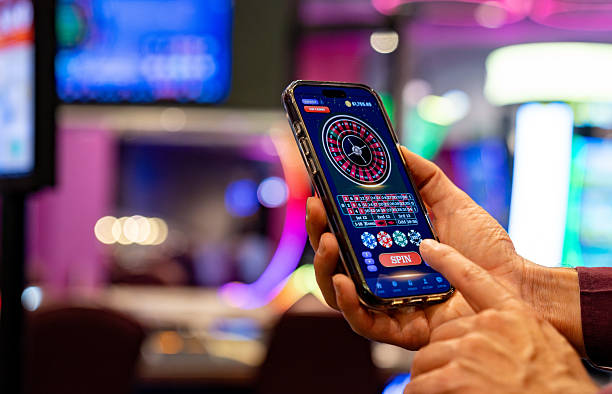
Our go55 mobile experience prioritizes low-bandwidth streaming for live blackjack, roulette, and baccarat tables, so you can keep your session active during periods when your connection fluctuates. We cache account data locally to reduce latency when you check your balance or review your betting history. Push notifications alert you to market changes and deposit confirmations. Our app infrastructure is separate from our web platform but shares the same account, so you can switch between devices without re-logging.
Access to our go55 platform is available only where local law permits online gaming. Users are responsible for verifying that their use complies with their own jurisdiction's regulations. Our mobile app is not geofenced; you must confirm eligibility before account creation.
Installation Paths for go55 on Your Device
We support three primary access routes: Android via direct APK download, iOS via mobile browser, and any device via web browser. Each method connects to the same go55 account and betting history. Android users can download our APK directly from our website without using Google Play. iOS users access go55 through their mobile browser (Safari or Chrome); we do not offer an iOS app through the App Store, as browser access provides the same functionality. Web-browser access works on desktop, tablet, and smartphone.
No Google Play required; install directly to your device
Open go55 in Safari or Chrome; save to home screen
Full-featured access from any modern browser
How to Install go55 Step by Step
-
Download the go55 APK or open our site
Android users download the APK from our website; iOS and web users navigate directly to go55.bid in their browser.
-
Allow unknown sources (Android only) or permit notifications
Android requires you to enable installation from unknown sources in your device settings. All platforms prompt for notification permission during first launch.
-
Create or sign into your go55 account
New users register with email and password; existing users sign in. Identity verification (KYC documents) is required before your first deposit.
-
Deposit and start exploring go55 tables and markets
Choose your payment method (DANA, e-wallet, mobile banking, local payment, online payment, e-wallet, or bank transfer) and begin accessing live dealers and tournament betting.

Native App vs. Browser Access on go55
Our go55 native Android app offers offline account caching, so your balance and recent bets load instantly even if your connection is slow. The app sends push notifications for market updates, deposit confirmations, and withdrawal status. App-based access also reduces load times for multi-camera live-dealer streams, which is crucial during peak hours when Liga 1 matches and Piala AFF tournaments draw heavy traffic. Browser access provides identical functionality and updates automatically with each visit—no manual app update required. Most users find the app superior for extended live-dealer sessions and the browser sufficient for occasional tournament betting. We recommend trying both to determine your preference.
Same account across all access methods
Your go55 account, balance, and betting history sync automatically whether you use the Android app, iOS browser, or web interface. You can switch devices mid-session without re-logging.
Device Compatibility and System Requirements
Our go55 Android app requires Android 7.0 or later. Older devices may not support the app; in that case, use our mobile browser interface instead. iOS users need iOS 12 or later to access go55 through Safari or Chrome. Tablet users on both platforms enjoy the same features as phone users, with a wider display that improves live-dealer stream visibility. We test our go55 platform on the most common device models in use across Jakarta, Surabaya, Bandung, Medan, and Semarang. If your device meets the minimum requirements but you experience performance issues, contact our support team for troubleshooting assistance.
Resolving Common Installation Issues on go55
Android users must enable "Unknown Sources" in their device settings before installing the APK. If you see a security warning, this is normal—our APK is signed but not distributed through Google Play. iOS users may need to allow pop-ups and cookies in their browser settings to access go55 fully. If push notifications do not arrive, check your device's notification settings and confirm that go55 has permission. Some users encounter certificate warnings in their browser; this reflects that our SSL certificate is valid but issued by a different root authority than the one your device expects. These warnings are safe to dismiss. If installation fails repeatedly or you cannot access your account, email our support team with your device model and Android/iOS version for personalized assistance.
Data, Permissions, and Account Security on go55
Our go55 app requests permission to send notifications and, on Android, to access your device storage for cache purposes. We do not request access to your contacts, camera, or location. Any permission request outside these categories is a sign of a fraudulent app—uninstall it immediately and download again from our official website. Your go55 account credentials are encrypted in transit using HTTPS and at rest using AES-256 encryption. We never store your account password in plain text. If you believe your account has been compromised, use the password-reset function or contact our support team to secure it immediately. We log all login attempts and unusual account activity; review your account history regularly to confirm you recognize all access.
We at go55 design our mobile platform to keep your gaming sessions fast, your data secure, and your subject to verification—across Android, iOS, and web.
Support and Account Recovery on go55
If you forget your go55 password, use the password-reset link on the login page. We send a reset email within minutes. If you do not receive the email, check your spam folder or contact our support team via live chat, email, or phone during extended business hours. Our multilingual support team can assist you in English and local languages. We respond to all account-recovery requests within 24 hours. If you need to verify your identity before regaining access, we may ask for a recent government ID or bank statement. Once you regain access, update your account security settings and consider enabling two-factor authentication if our platform supports it.